

How the workspace fits your project
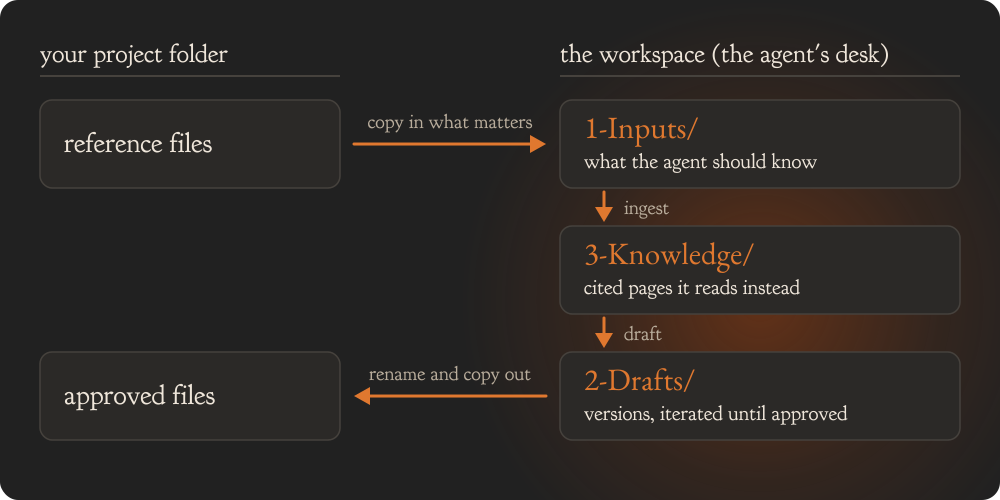
- Bring in only what the agent needs to know. Leave out any file that is not worth keeping in the agent’s memory.
- Work on drafts in
2-Drafts/. Every build or edit makes a new version. The previous version moves to_superseded/._draft-index.mdrecords which version is current. - Copy out what is approved. When a draft is ready to share, rename it and copy it to your own project folder. The agent publishes and sends nothing for you.
- Use one workspace per project. Each workspace keeps its own memory and tasks. Facts from one project never appear in another. Confidential material stays inside its own project.